Github Image Uploader
Upload your images to GitHub with ease
Drag & drop images here
or
How to Set Up GitHub Repository
Step 1: Create a GitHub Repository
Go to GitHub and create a new repository to store your images.
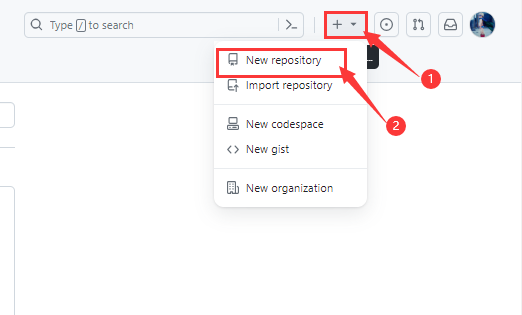
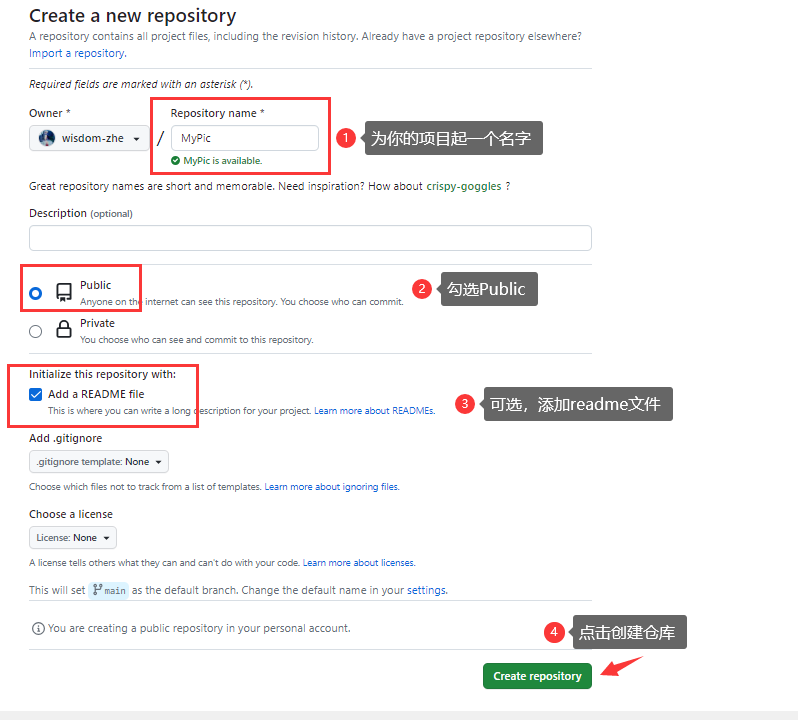
Step 2: Generate a Personal Access Token
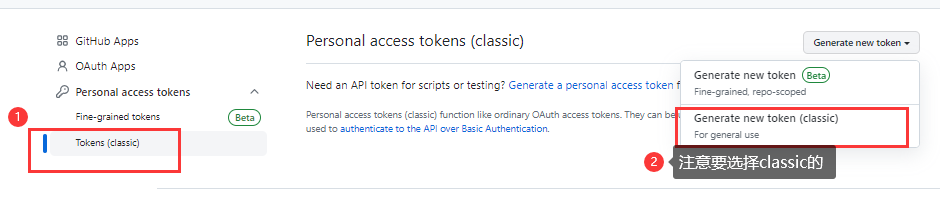
Navigate to GitHub Settings → Developer Settings → Personal Access Tokens → Generate New Token(classic).
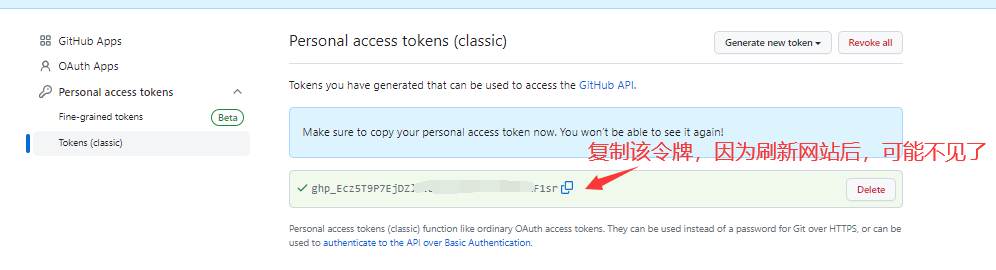
Set up the Note as you want → Expiration: No expiration(or the expiration time you want) → Select scopes: repo → Generate token
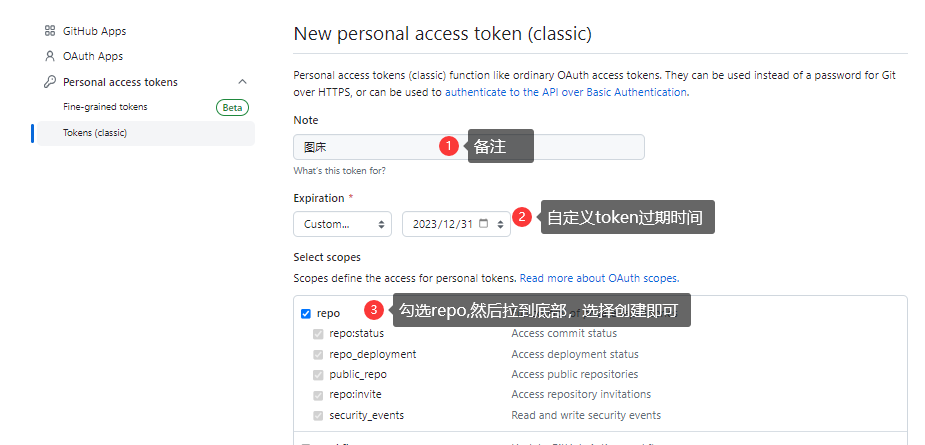
Please note that you must save the token in a safe place and it will be lost after the page is closed.
Step 3: Create img Branch(optional)
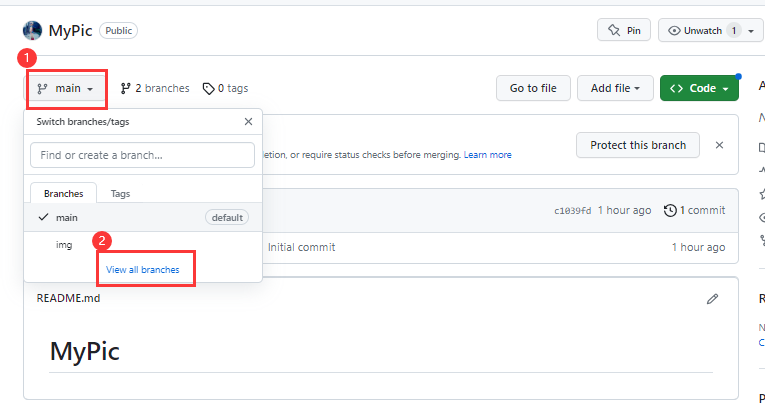
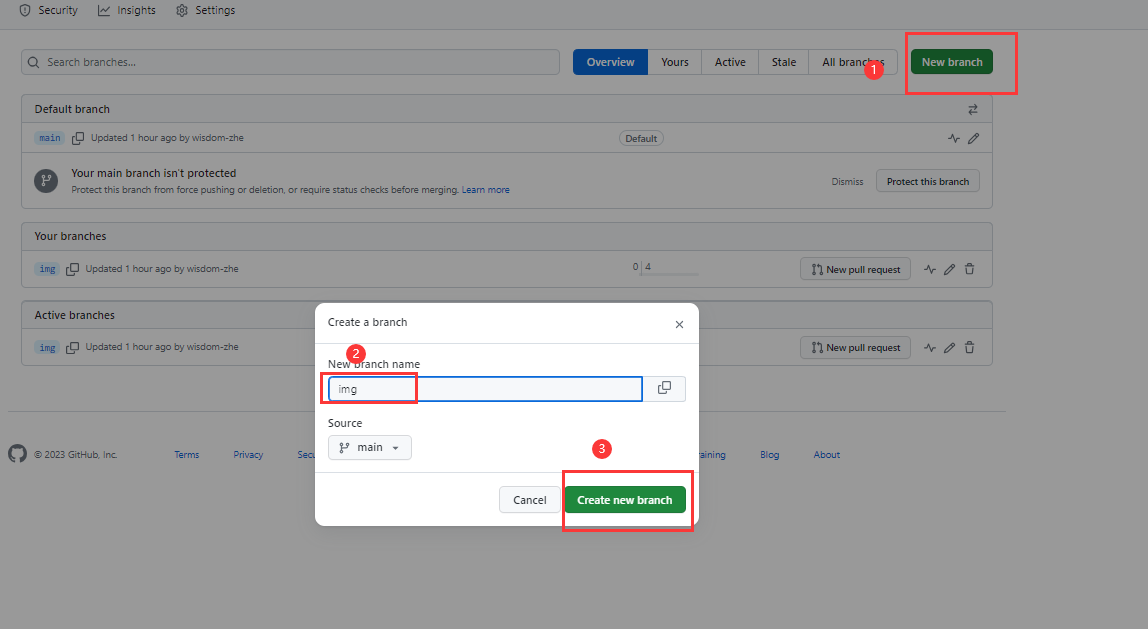
Click the repo → main → View all branches→ New branch → Enter the name for the branch you want → Create new branch
Step 4: Configure the Uploader
Copy your token and fill in your GitHub details in the settings panel.
- Token: Your personal access token
- Username: Your GitHub username
- Repository: Name of the repository you created
- Branch: Usually 'main' or 'master'
- Path: Optional subfolder (e.g., 'images/')